Download a demo of the Mindscape computer game to play on an emulator or try the full version.
The February 1992 issue of Amiga Format contained a playable demo of Knightmare.
DownloadMindscape Demo (635.52kB)
How to play the demo using an emulator
- Find a Kickstart 1.3 ROM file (kick13.rom). This contains the Amiga operating system.
- Download and unzip the Knightmare Demo.
- Download, install and run the WinUAE emulator.
- On the "RAM" tab, set Chip: and Slow: to 1MB.
- On the "ROM" tab, assign your Kick13.rom file.
- On the "CPU" tab, set CPU type is 68000 with "Slow but more compatible". Set "Adjustable between CPU and chipset" to 8 (in the middle).
- On the "Display" tab, set the following values:
- Line Mode: Scanline.
- Settings: Fullscreen (RTG if available).
- Centering: Horizontal and Vertical.
- Amiga Screen Resolution: Your own resolution, 32-bit (make sure its 32-bit), 60Hz.
- Chipset: Full ECS (or AGA).
You should see an Amiga menu screen.
- Go to the "Floppies" section. In the DFO: area, select "...".
- Identify the knightdemo.adf and select Open.
- On the "Sound" tab, set Sound emulation to "Emulated, 100% accurate" with Frequency at 22,050 Hz and Sample Type at 8-bit. Set Sound Output Method to WaveOut Looping / DblBuff (the safest mode) or Stereo.
- Save into the Configuration tab so you don’t lose changes and select OK.
- From this, select the Knightmare Demo to load the game.
Introduction
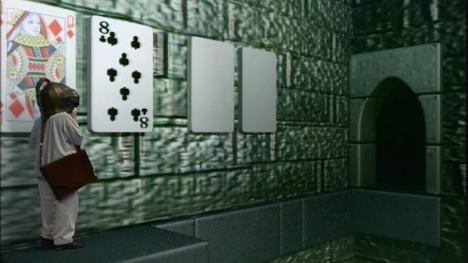
The aim is to explore the caverns, kill the monsters and collect the treasure. Your team has four adventurers, one of whom wears a helmet which provides the eyesight for the group.
Knightmare is mouse controlled with the left button initiating get/move commands and the right button action commands. Clicking on the cluster of arrows moves you left/right, forward/back, up/down, and turn right/left. To get or use objects or buttons, click on them with the left button.
When you've picked something up, you can put it in the hands (the row of colour-coded cushions) or the backpacks by clicking on the game window with the right button. To attack, click with the right button over the hand you want to hit with. This brings up a range of options (punch, kick, stab, etc) and just click on the desired option with the right button.
To pre-set these options, use the left button. The cushion will have a little red triangle, showing it has been primed. Simply click on the cushion with the right button to activate the chosen action. it will be cross hatched for a second or two while the character recovers from the blow, but once it clears you can strike out again.
Play the full game
If this demo has whetted your appetite, the full version is available through GamesNostalgia.